
A Comprehensive Guide to Securing Your WhatsApp Account
In today's interconnected world, WhatsApp has become an indispensable tool for personal and professional communication. With over two billion users globally, it's a primary channel for sharing sensitive information, personal moments, and critical updates. While WhatsApp's renowned end-to-end encryption provides a fundamental layer of security, the responsibility for safeguarding your account doesn't stop there. Understanding and implementing additional security measures is paramount to protect your privacy and prevent unauthorized access.
This comprehensive guide will walk you through essential steps to fortify your WhatsApp security, ensuring your digital conversations remain private and secure.
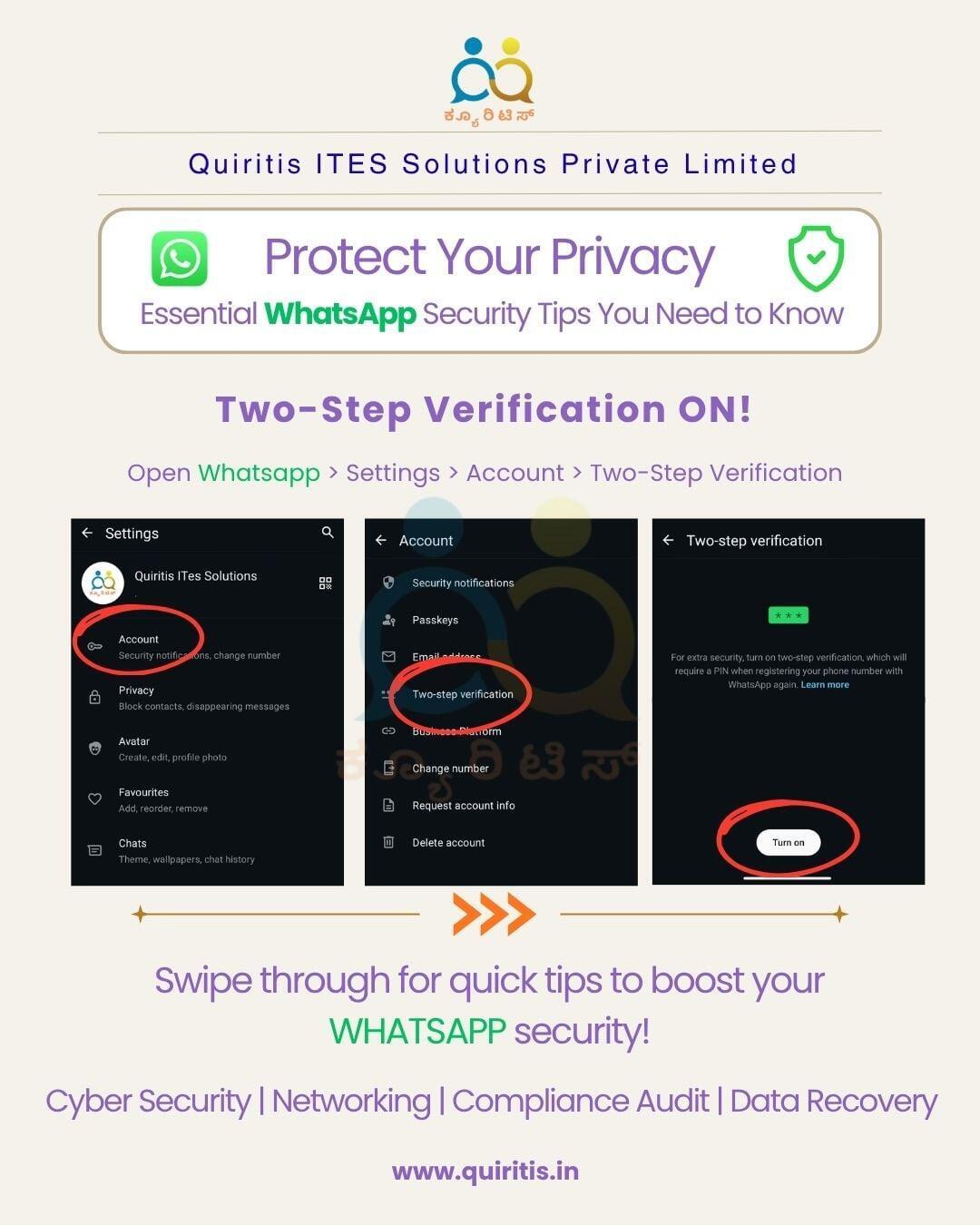
1. Activate Two-Step Verification (The Essential Shield)
This is arguably the most critical security feature WhatsApp offers, yet many users overlook it.
·What it is: Two-Step Verification (also known as a PIN) adds an extra layer of security to your WhatsApp account. When you enable it, any attempt to verify your phone number on WhatsApp will require a six-digit PIN that you create, in addition to the SMS verification code.
·Why it's crucial: It prevents someone from gaining access to your account even if they manage to get hold of your SIM card or intercept your SMS verification code.
·How to enable it: Go to WhatsApp Settings > Account > Two-Step Verification > Enable. Choose a memorable PIN and provide an email address for resetting it if you forget.
2. Recognize and Avoid Phishing Attempts & Scams (Be Skeptical)
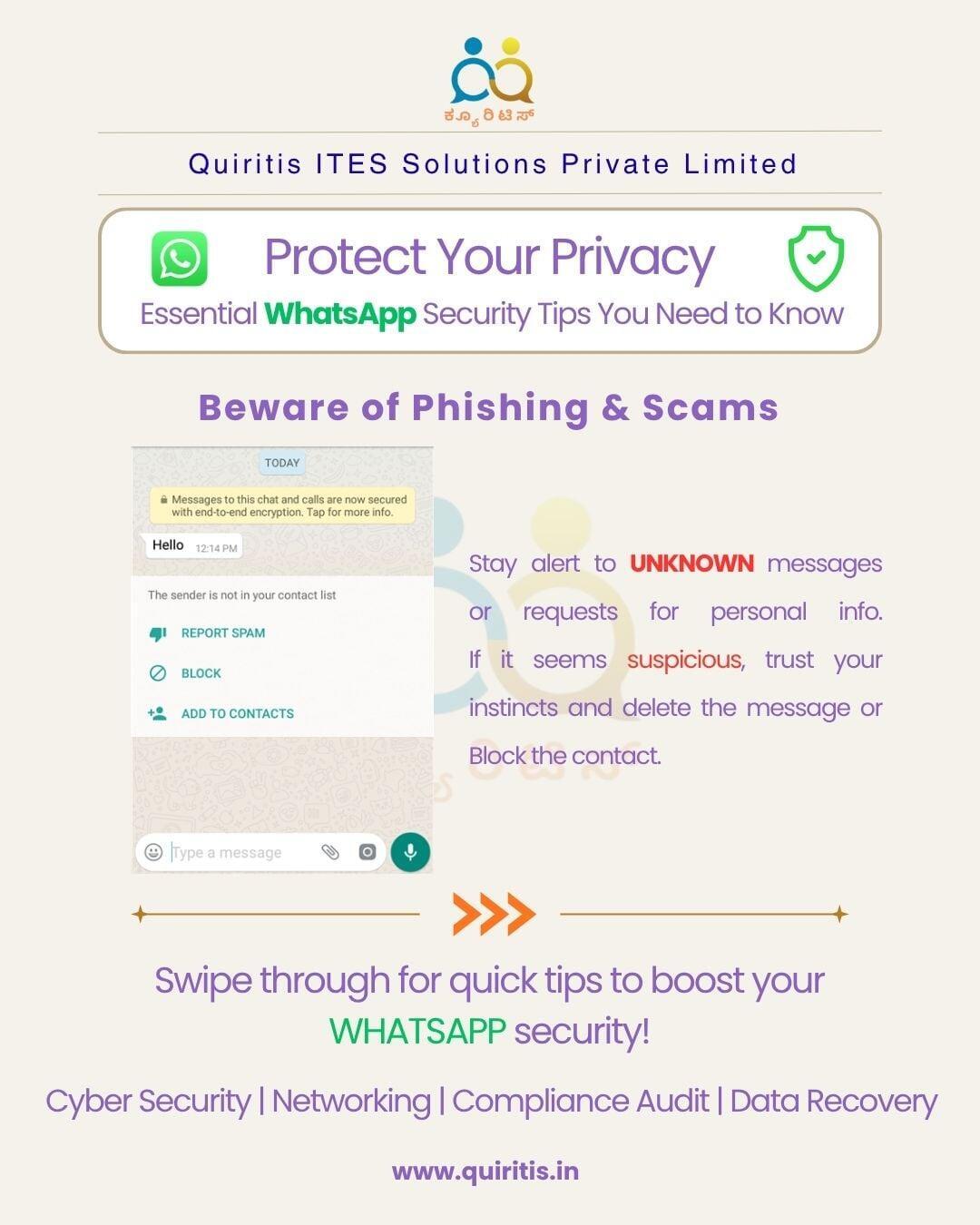
Cybercriminals are constantly evolving their tactics, and WhatsApp is a common platform for various scams.
Common Scams:
·Impersonation: Messages from "WhatsApp support" or "banks" asking for personal details or verification.
·Fake Links: Links promising freebies, lottery wins, or urgent updates that lead to malicious websites.
·"Friend in Need" Scam: Messages from unknown numbers pretending to be a friend in distress, asking for money.
How to protect yourself:
·Never click suspicious links.
·Verify the sender: If a message from a known contact seems unusual, call them to confirm before responding.
·Do not share personal information: WhatsApp or legitimate organizations will never ask for your PIN, credit card details, or other sensitive information via chat.
3. Optimize Your Privacy Settings (Control Your Visibility)
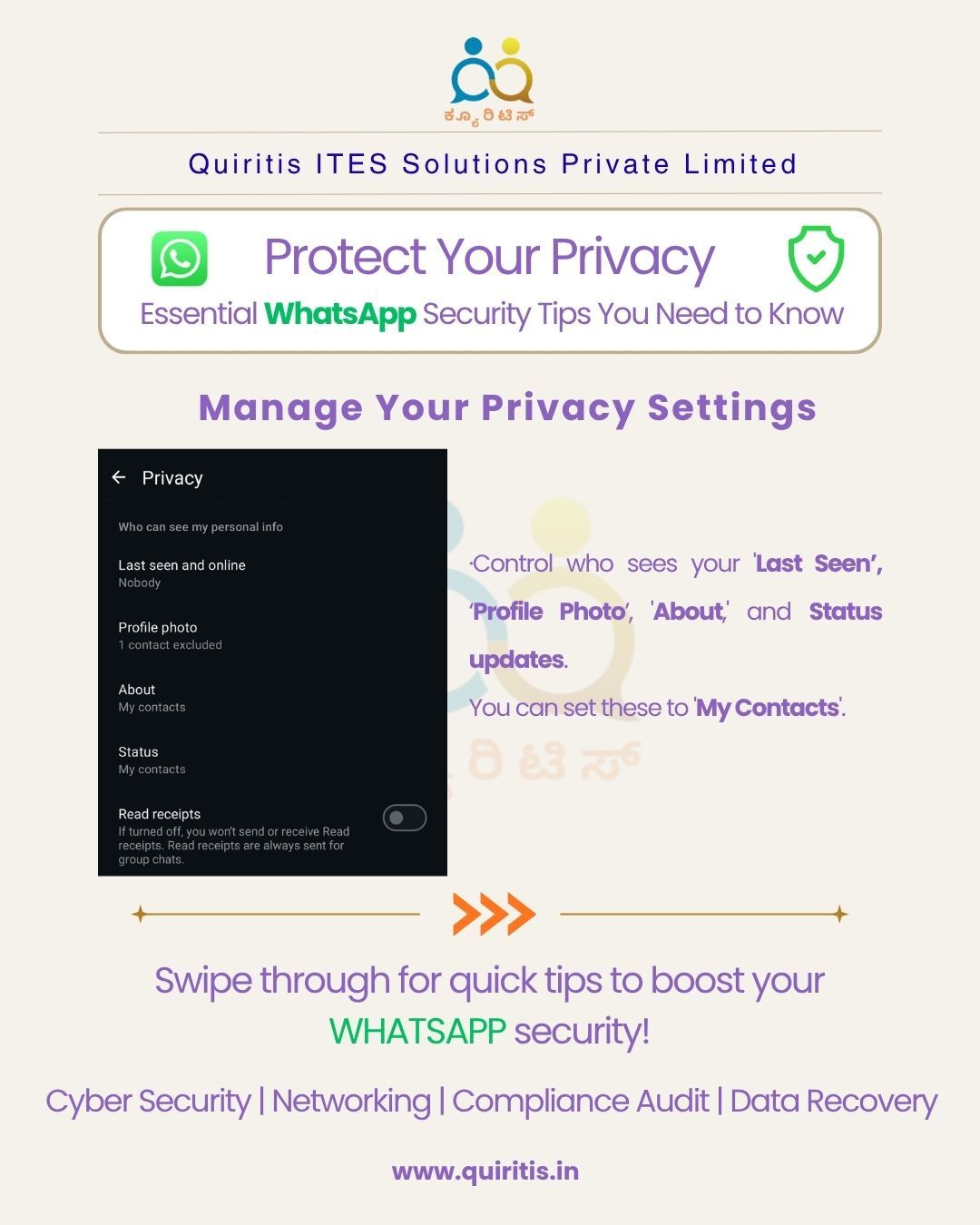
WhatsApp allows you to control who can see various pieces of information about you.
·Last Seen and Online: You can choose who sees when you were last active or if you're currently online. Options: Everyone, My Contacts, My Contacts Except..., Nobody.
·Profile Photo: Control who can see your profile picture.
·About: Decide who can read your 'About' section.
·Status: Share your status updates only with specific contacts.
·Read Receipts: Turn off read receipts ("blue ticks") if you prefer others not to know you've read their messages. (Note: If you turn them off, you won't see others' read receipts either).
·How to adjust: Go to WhatsApp Settings > Privacy.
4. Regularly Review Your Linked Devices (Close Open Doors)
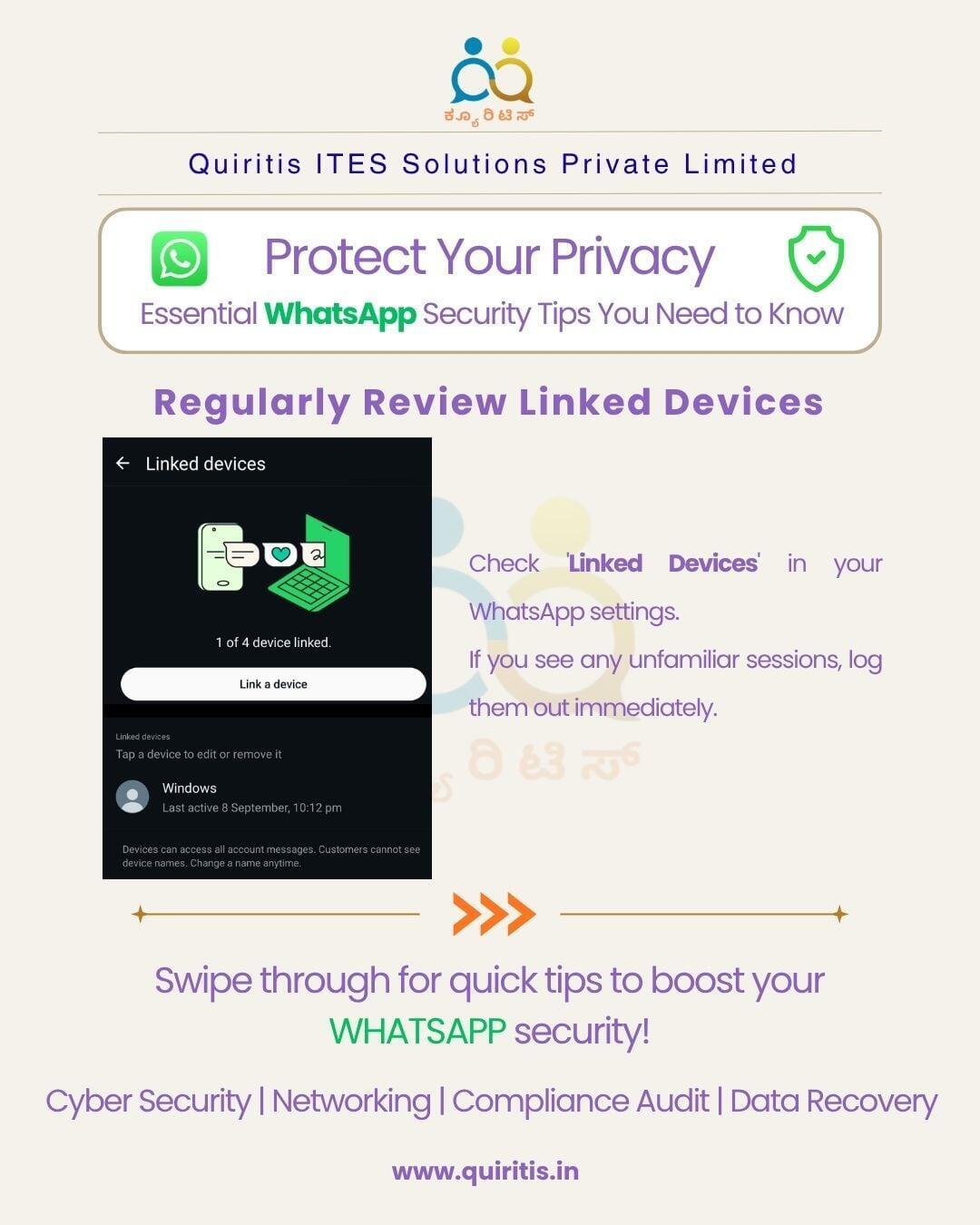
WhatsApp Web and Desktop allow you to use WhatsApp on other devices. It's crucial to manage these connections.
·What to do: Periodically check the 'Linked Devices' section in your WhatsApp settings.
·Why it's important: If you've logged into WhatsApp Web on a public computer or a friend's device and forgotten to log out, someone else could access your chats.
·Action: If you see any unfamiliar devices or old sessions you no longer use, log them out immediately.
5. Keep Your WhatsApp App Updated (Stay Ahead of Threats)
Software updates aren't just about new features; they often include critical security patches.
·Why it matters: Developers continuously identify and fix vulnerabilities. Running an outdated version of WhatsApp could leave you exposed to known security flaws.
·Action: Enable automatic updates for your apps or regularly check your app store (Google Play Store for Android, Apple App Store for iOS) for WhatsApp updates.
Conclusion:
While WhatsApp's commitment to end-to-end encryption forms a strong foundation, your active participation in securing your account is non-negotiable. By implementing these five essential tips – enabling two-step verification, recognizing scams, managing privacy settings, auditing linked devices, and keeping your app updated – you can significantly enhance your digital safety and ensure your private conversations truly remain private.
Stay vigilant, stay secure!