
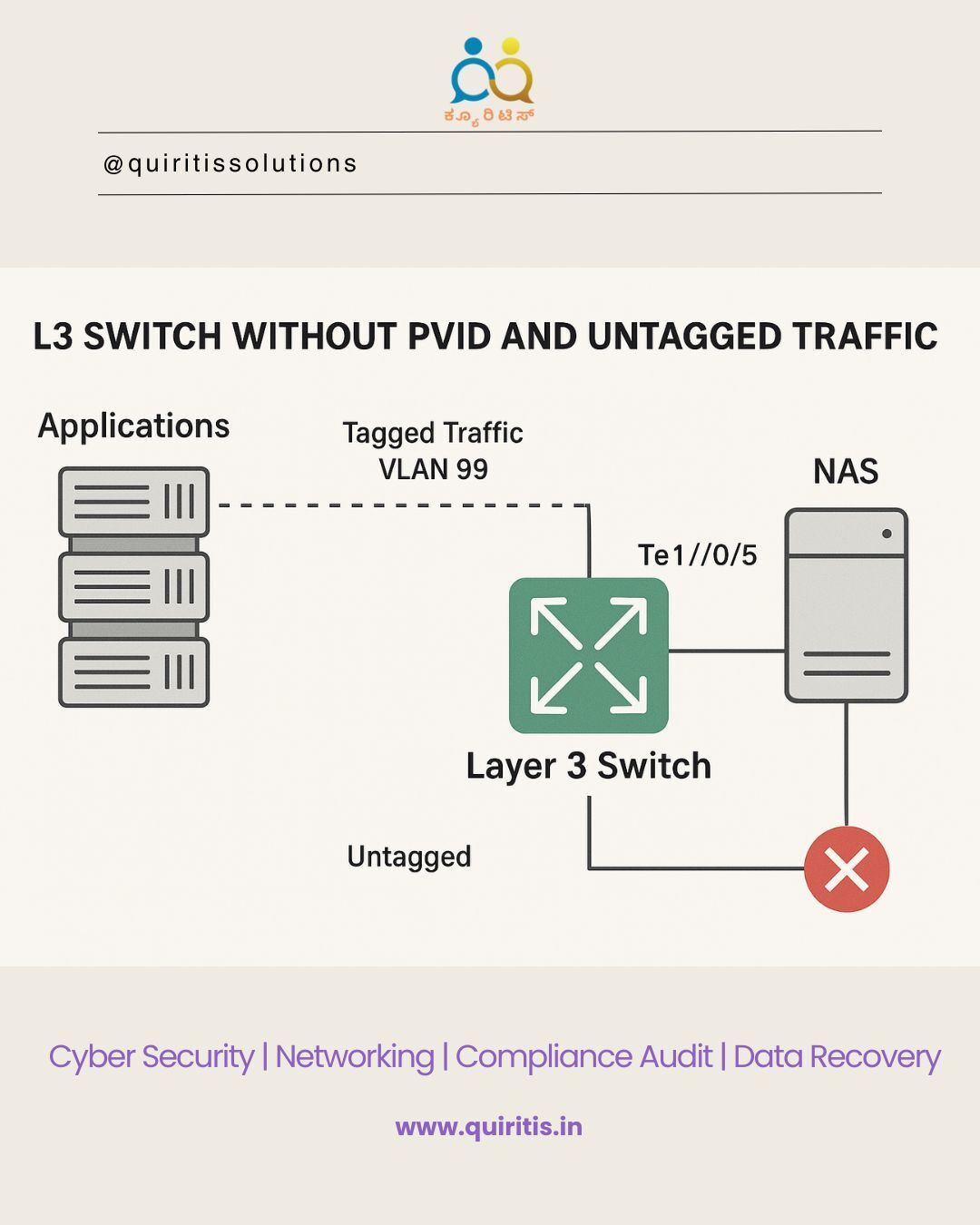
🔍 The Problem
Recently, I encountered an interesting issue where applications couldn’t access our NAS server — even though the trunk port configuration on our L3 switch appeared to be correctly set.
After diving into packet captures, we discovered that the NAS was sending untagged packets, which the switch was silently dropping.
🧩 Root Cause
The issue stemmed from a missing PVID (native VLAN) configuration on the trunk port. Without a native VLAN defined, the switch didn’t know how to handle untagged traffic, resulting in dropped packets and failed communication.
🛠️ The Fix
Adding the following command resolved the issue instantly:
This configuration correctly mapped untagged traffic to VLAN 99, restoring connectivity to the NAS.
🏭 Vendor-Specific Behavior
What’s particularly interesting is that the same trunk configuration without native VLAN worked perfectly fine on a Dell L3 switch. This highlights how vendor-specific behavior can influence network performance in real-world environments.
📌 Key Takeaway
Always verify how your switch handles untagged traffic on trunk ports, especially when working with devices like NAS that may not tag their responses. A missing native VLAN can silently break communication — and packet captures are your best friend in diagnosing such issues.
🔍 Disclaimer:
The names "Dell" and "Tejas" are mentioned solely for educational and descriptive purposes based on observed technical behavior. This post does not imply any endorsement, affiliation, or criticism of the mentioned vendors or their products.